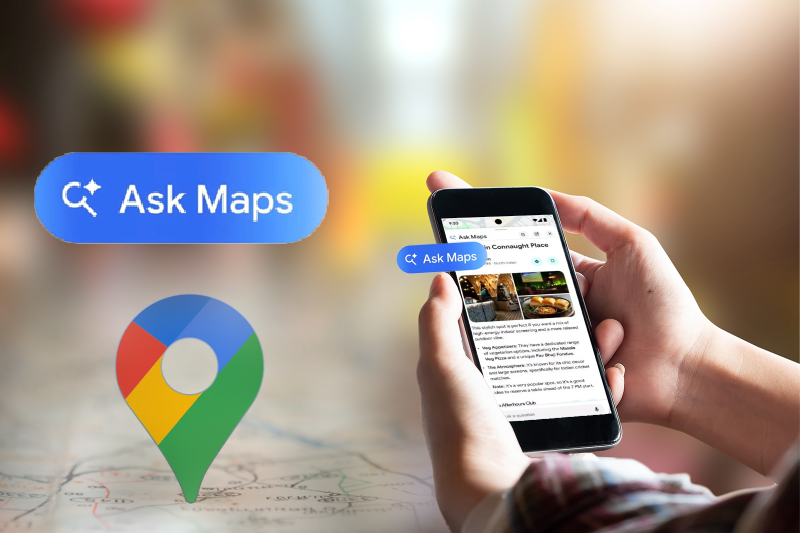


Planning a trip often feels overwhelming. You open multiple tabs, compare routes, and scroll through endless options and now things are changing. Google Maps has introduced a new feature called Ask Maps. This update makes travel planning faster, simpler, and more personal. Instead of typing basic searches, you can now ask questions naturally. It feels more like chatting than searching. Know how this feature is changing the way frequent travelers plan trips.
What Is Ask Maps?
Ask Maps is a chat-based search feature inside Google Maps. It allows users to interact using natural language. You can type or speak your question directly. The app then understands your intent and gives tailored results. For example, you can ask, “Where can I find good food on my route?” The app responds with relevant suggestions instantly. It uses location data, user reviews, and real-time updates. This makes results accurate and useful.
Traditional search requires exact keywords. Ask Maps removes that limitation. You don’t need to think about how to phrase your query; and you can simply ask what you want. The system understands context automatically. It considers time of day, current location, and travel preferences. This makes the experience faster and more natural.
How Ask Maps Improve Travel Planning?
Planning a journey now takes less effort. Ask Maps combines multiple steps into one conversation. You don’t need to switch between apps. You can check routes, find restaurants, and explore stops, all within one chat. The app compares routes and suggests the best options, which helps you make quick decisions.
Discover Places Along Your Route Easily: One of the biggest advantages is route-based discovery. You can ask, “Show me cafes on the way.” The app lists options along your path. This saves time and effort. You don’t need to search separately. Everything appears within your route view. Ask Maps learns from your behavior. It analyzes your past searches, saved locations, and preferences. Over time, suggestions become more relevant. If you prefer certain cuisines, the app remembers. If you like quiet places, it adjusts recommendations. This creates a more personalized travel experience.
Voice and Chat Make Navigation Easier: Ask Maps supports both text and voice input. You can speak while driving. This improves safety and convenience. You can also type when needed. Both options work seamlessly. This flexibility makes navigation easier in different situations.
How to Get Ask Maps?
Getting started is simple. Follow these steps:
- Update your Google Maps app
- Open the app
- Tap the ‘Ask’ option
- Start typing or speaking
- The app will respond instantly.
Real-Time Data Makes Results More Reliable
Ask Maps uses real-time data to improve accuracy. It pulls information from:
- Traffic updates
- Business hours
- User reviews
This ensures suggestions match current conditions. You get results that are both relevant and timely.
Google Ask Maps Feature Benefits for Travelers
This makes travel more flexible and stress-free. Travelers benefit the most from this feature.
- It reduces planning time significantly.
- It also improves decision-making.
- You can explore destinations quickly.
- You can adjust plans on the go.
Google Maps continues to change how people plan travel with smarter tools like Ask Maps. This feature makes trip planning faster and more personalized. Travelers can now explore routes, stops, and places with simple questions.
If you are planning to travel from USA to India, smart planning matters more than ever. Using tools like Ask Maps can help you choose better routes and save time. At the same time, finding the right flight deals is important. Explore Indian Eagle deals to get better prices on international flights.
Frequently Asked Questions
What is the Google Maps Ask Maps feature?
The Ask Maps feature in Google Maps allows users to search using natural questions instead of keywords. It gives personalized results based on location, time, and preferences.
How do I ask questions in Google Maps?
Open Google Maps and tap the Ask option or search bar. Type or speak your question, like “best restaurants nearby.” The app will understand and show relevant suggestions instantly.
Can I use voice to ask questions in Google Maps?
Yes, Google Maps supports voice input. You can speak your query while driving or walking, and the app will respond with results based on your request.
How does Ask Maps help in travel planning?
Ask Maps helps you find routes, restaurants, and stops in one place. It saves time by giving quick suggestions, making travel planning easier and more efficient.
Is the Ask Maps feature available for all users?
The feature is rolling out gradually. Make sure your Google Maps app is updated to access Ask Maps. Availability may vary based on location and device.
| Disclaimer: Indian Eagle claims no credit for the images featured on its blog site. All the visual content is copyrighted to its respective owners only. We mention the source name of the image whenever possible and found. However, if we miss acknowledging the owner’s source, please contact us. In case, owners don’t want us to use their images, we will remove them promptly. We believe in providing proper attribution to the original author, artist, and photographer. |
[faqly_accordion id=”113″]